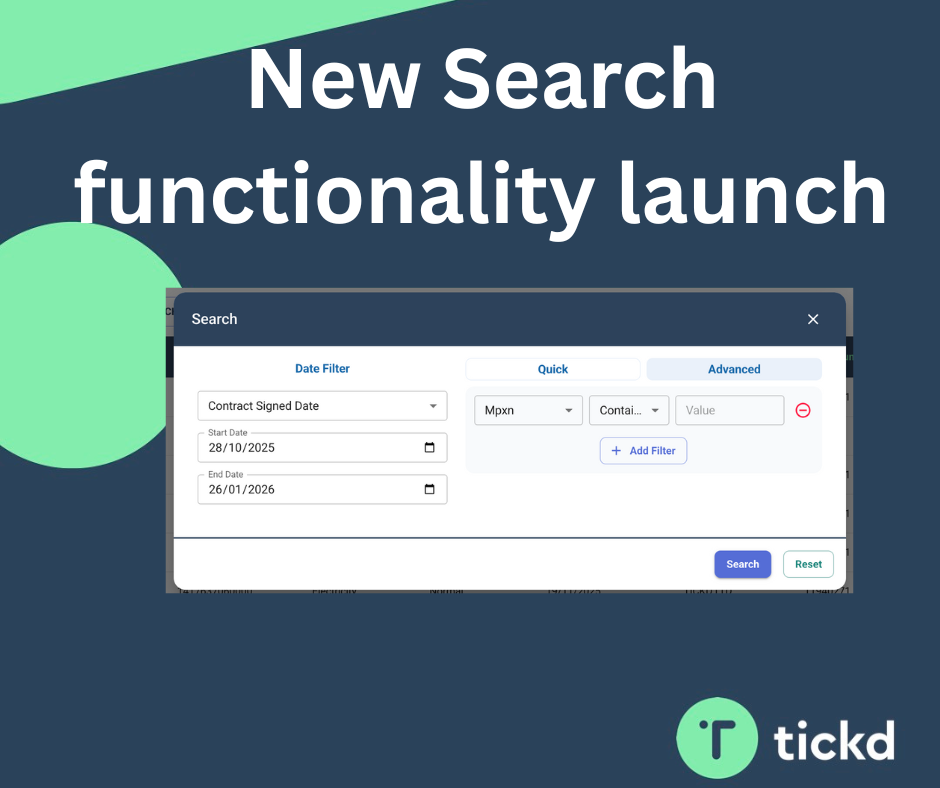
We’re really pleased to announce the launch of new and improved search functionality on the Tickd platform.
As Tickd has continued to grow, we’ve seen an increase in both the number of use cases from our partners and the volume of data flowing through the system. While our existing search functionality served us well, it became clear that it needed a revamp to better support how the platform is being used today — and how it will be used in the future.
This update is all about making it easier, faster, and more flexible to find the data you need.
Why We’ve Made These Changes
Whenever we roll out a new feature — especially one that changes how something familiar works — it can raise a few questions the first few times it’s used. The purpose of this blog is twofold:
- To highlight the new search functionality now available on the platform
- To help explain what’s changed, what hasn’t, and what you can expect when using it
Quick Search: What’s Staying the Same (and What’s Improved)
The existing Quick Search functionality to locate a specific account is still very much in place, so you can continue searching in the way you’re used to.
Here’s what Quick Search now offers:
- Simple meter searches still work exactly as before
- By default, Quick Search now looks back three months of data, instead of the previous one-month default
- You can search further back if needed, though depending on the amount of data being collated, this may take a few extra seconds
- You can now quick search by different date types, for example:
- Viewing all live dates within a specific date range
These changes give you more visibility by default, while keeping the experience quick and familiar.
Introducing Advanced Search
Alongside the enhanced Quick Search, we’re also launching Advanced Search.
Advanced Search allows you to interrogate the data in more detail by searching across multiple variables at once. This is particularly useful when you’re looking for specific patterns or scenarios within the data.
For example, you can now ask questions like:
- “Show me all ‘Objection’ switch statuses for a specific new supplier”
This gives you much greater flexibility and control when analysing data within the platform.
Exporting Data to CSV
We’ve also introduced the ability to export search results to CSV, depending on your permission level.
Key points to note:
- Users with the appropriate permissions will now see an Export button
- Export permissions are controlled by user level to ensure data is handled securely
- On the View Exports page, you can see:
- All exports that have taken place
- Which user generated each export
If you believe you should have access to exports but can’t see the button, please let us know and we’ll be happy to review and update your permissions if appropriate.
Looking Ahead
These improvements are another step in making Tickd more powerful, scalable, and easier to use as the platform continues to evolve. As always, feedback from our partners plays a huge role in shaping these updates.
If you have any questions about the new search functionality, or would like to share feedback, please don’t hesitate to get in touch.